Thursday, November 11, 2021

Whiterun hideout (double bed)

Whiterun hideout (double bed)

Whiterun hideout (double bed) bedroom
Bethesda.net
Whiterun hideout (double bed) [PC]

Whiterun hideout (double bed) [XB1]

Whiterun hideout (double bed) [PS4]

Mod Description:
Add a small hideout to Whiterun.
There is an entrance in the main gate section of Whiterun. It is a property with a bath and toilet.

This house can meet the following requests reasonably.


I want Whiterun to have a living space, but I don't like the dragon attack starting when I go through the main quest "Dragon Rising" and get a Breeze home.
I want Whiterun to have a living space, but it's better not to have a large house in the fledgling era.
I want a living space in Whiterun, but I like a hideaway house.
I want to sleep in a double bed instead of a single bed.
This time, I am creating two patterns of houses.
Goemon bath (metal) version with a single bed.
Whiterun hideout (single bed)
A version of the Goemon bath (wooden tub) with a double bed.
Whiterun hideout (double bed)
This article describes Whiterun hideout (double bed).

Conflicting MODs: MODs that have an entrance in the same place or mods that make it impossible to access the entrance to the hideout by modifying the main gate of Whiterun.

Notes for Xbox One version
1:I don't have an Xbox One, so I can't check the operation. note that.
2: The added merchant is a followers-enabled voice and can be hired with Amazing Follower Tweaks.

Explanation of PS4 version only
You will need "[PS4] Relocate NPC --Your new home" to move your NPC to this house.
"[PS4] Multiple Followers System" is required to hire additional merchants.

The following is information common to the PC version, Xbox One version, and PS4 version.

As with all moddings, in order to deal with unexpected problems, please back up the save data before installing this mod so that you can always restore it before installing the mod.

If you save and load once after installing this MOD, you can have up to 2 followers living in your house. This habitation feature only works for humanoid Followers. The habitation function does not work for animals such as Meeko and stray dogs. We do not plan to support the migration function of animals in the future.

Whiterun hideout (double bed) entrance
Where the house is:
Immediately after entering the main gate of Whiterun, turn left and at the end, turn left and proceed inside the gate.
There is a small door. This little door is the doorway to the hideout.

Indoor facilities: 3 double bed, toilet, Goemon bath (wooden bathtub), Cooking pot, Oven, Arcane Enchanter, Alchemy lab.
All indoor storage will not be respawned. Indoor storage is safe.
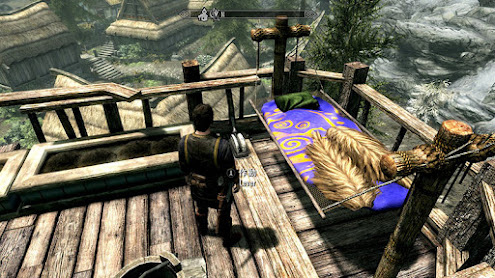
Whiterun hideout (double bed) bedroom Whiterun hideout (double bed) toilet
The toilet has two differences compared to the single bed version. There are two points: "the flag is displayed on the wall" and "the position of the potted plant and the jar are different".
Whiterun hideout (double bed) dining table Whiterun hideout (double bed) bedroom Whiterun hideout (double bed) writing desk Whiterun hideout (double bed) bedroom (lights off)
As with the single bed version, the pillar switch changes the lighting and the position of the dining table and chairs.
Unlike the single bed version, there is no bed for servants. Please sleep together with your servant.
Whiterun hideout (double bed) bookshelf (1) Whiterun hideout (double bed) bookshelf (2) Whiterun hideout (double bed) bookshelf (3)
The single bed version had one row of bookshelves, but the double bed version has four rows of bookshelves.
This bookshelf can hold up to 18 books in a row, so a total of 72 books can be stored in a four-row bookshelf.

For blacksmithing equipment, rent Warmiden's equipment.
Purchase bath products from the merchants you added to Drunken Huntsman.

When you take a bath and press the button on the left, a shower will appear, but the lid will be placed on the bath tub while you are using the shower. Do not turn on the shower when an NPC is bathing. (There will be no damage to NPCs due to the appearance of the lid, but it will cause problems with the appearance.)


Washing your hands, brushing, washing your body, and using the bath will temporarily increase your status.
The bath and toilet have an NPC automatic undressing function. After a certain period of time, the undressing state of the NPC will be released.
If the NPC is still undressed, remove the Bath Cloth and Restroom Cloth from the NPC's equipment.

In addition, it seems that some NPCs have the automatic undressing function disabled.
NPCs with the ability to "neutralize magic" have no effect and remain dressed.
Also, the undressing NPC's torso may not be visible, but it can be restored by removing the Bath Cloth and Restroom Cloth.

The player does not automatically undress, so when taking a bath, the player should gracefully undress or equip a Bath Cloth.
The Bath Cloth and Restroom Cloth are set to a high defense value to protect you from enemies while you are bathing in the open-air bath.
However, this does not mean that we recommend playing in loincloths. Please wear clothes after taking a bath as the water will get cold.

If you don't want NPCs to undress automatically

There is an "NPCs do not undress" button that will stop NPCs from undressing in the bath or toilet.

The "Undressing control button" located in front of the sliding door of the bath, near the barrel, allows you to switch on and off automatic undressing when an NPC uses the toilet or bath.

By turning the switch on, you will see NPCs using the toilet or bath with their clothes on, but in reality they are undressing.


Whiterun hideout (double bed) bath
Known issue 1: You can switch the bath water flow with a switch. The game may crash if you go outdoors with a large number of water stream objects displayed. Please turn off the switch when moving. Saving water is important. If the switches are switched continuously, the game may crash due to the load on the game.

Other notes: The interior is small, so make sure no one is near the Weapon Rack when putting weapons in and out of the Weapon Rack. When decorating a weapon on the Weapon Rack, it feels dangerous because the weapon floats to the right and then flies. Especially for the Weapon Rack on the bedroom side, I think it is better to put in and take out weapons when no one is sitting in the chair nearby.

Explanation of the Housemate function.

I used uniSL's "Dweller Slot" for Follower's living system. Thanks to UniSL.

After installing this MOD, save once, load it, and bring a Follower inside this house. The option "[Home] Would you live in this house?" will be displayed.

  1. Bring the Follower indoors in this house.
  2. The option "[Home] Would you live in this house?" will be displayed in the conversation with Follower. Select dweller slots from [1] to [2].
  3. If you allocate a dweller slot and then un-employ the follower, the former follower will start living in this house as a housemate.

When you talk to the NPC who has become a resident, the option "[Home] I want to manage dwellers." will be displayed, so you can unlock the dweller slot.

When you want to replace a resident, bring the follower you want to replace to this house and have the "[Home] Would you live in this house?" dialogue select the dweller slot of the housemate you want to replace.

Note and request: Essential attribute (non-dying attribute) will be given while staying, but it will return to the initial setting after unlocking the dweller slot. If you bring a Follower without the Essential attribute, hire him as a Follower after unlocking the dweller slot and bring him to a safe place.

When uninstalling this MOD, please cancel all the residents' settings first, take them to the place where the residents were first, and then uninstall this MOD.

By using other mods together, it is possible to migrate "NPCs that cannot be made friends normally", but it is recommended to migrate NPCs related to the progress of the quest after the quest is completed. . If you migrate NPCs related to quest progress in the middle of the quest, the quest may not be able to progress.

Also, if you "temporarily make a hostile NPC that has been tranquillized" migrate as a Housemate, it may attack surrounding NPCs and players after the sedation is released, so please be careful.

This will be a repeated warning, but if you bring NPCs involved in the quest progress to this house, please bring them to this house after the quest is over. If you make "NPC involved in quest progress" a housemate in the middle of the quest, the quest may not progress.

housemate schedule

The housemates take walks within Whiterun during the day. They do not go outside the city walls.

This hideout is smaller than the other houses, so I have a schedule where I spend more time outdoors than indoors.

Where the housemate moves during the day: Randomly moves indoors in the Whiterun hideout, within the walls of Whiterun (markets and plazas), The Drunken Huntsman, Temple of Kynareth, and The Bannered Mare.

  • Breakfast is served indoors from 6:00 a.m. to 7:00 a.m.
  • Lunch is served at The Bannered Mare from noon to 1:00 p.m.
  • Tea time at The Drunken Huntsman from 3:00pm to 4:00pm
  • Dinner at The Drunken Huntsman from 7:00pm to 8:00pm
  • Tea time before bed is indoors from 8:00pm to 9:00pm
  • I sleep from 11:00 pm to 7:00 am
  • Residents are free to move indoors and outdoors except when eating and sleeping.


The beds in the housemates' quarters have no assigned ownership, so both NPCs and players are free to use them. However, please note that if you or your followers decide to rest there first, the housemates will have nowhere to sleep.

Thank you for using this mod.

Skyrim MOD name: Whiterun hideout (double bed) 
Author: Lids_S3L3L
Search word: Lids_S3L3L or Lids

Whiterun hideout (single bed)

Whiterun hideout (single bed)

Whiterun hideout (single bed) bedroom
Bethesda.net
Whiterun hideout (single bed) [PC]

Whiterun hideout (single bed) [XB1]

Whiterun hideout (single bed) [PS4]

Mod Description:
Add a small hideout to Whiterun.
There is an entrance in the main gate section of Whiterun. It is a property with a bath and toilet.
The living space of the hideout is very small because it is supposed to live alone.
If you want to sleep in a double bed, please use another version of "Whiterun hideout (double bed)".

This house can meet the following requests reasonably.
I want Whiterun to have a living space, but I don't like the dragon attack starting when I go through the main quest "Dragon Rising" and get a Breeze home.
I want Whiterun to have a living space, but it's better not to have a large house in the fledgling era.
I want a living space in Whiterun, but I like a hideaway house.

This time, I am creating two patterns of houses.
Goemon bath (metal) version with a single bed
Whiterun hideout (single bed)

A version of the Goemon bath (wooden tub) with a double bed.
Whiterun hideout (double bed) 

This article describes Whiterun hideout (single bed).

Whiterun hideout (single bed) bath kettle (Goemon bath)
Conflicting MODs: MODs that have an entrance in the same place or mods that make it impossible to access the entrance to the hideout by modifying the main gate of Whiterun.
Since Kettle is used for the bathtub, the appearance of the bathroom will be affected if it is used in combination with a mod that replaces the Kettle model with another model.

Notes for Xbox One version

1:I don't have an Xbox One, so I can't check the operation. note that.
2: The added merchant is a followers-enabled voice and can be hired with Amazing Follower Tweaks.

Explanation of PS4 version only

You will need "[PS4] Relocate NPC --Your new home" to move your NPC to this house.
"[PS4] Multiple Followers System" is required to hire additional merchants.

The following is information common to the PC version, Xbox One version, and PS4 version.

As with all moddings, in order to deal with unexpected problems, please back up the save data before installing this mod so that you can always restore it before installing the mod.

If you save and load once after installing this MOD, you can have up to 1 followers living in your house. This habitation feature only works for humanoid Followers. The habitation function does not work for animals such as Meeko and stray dogs. We do not plan to support the migration function of animals in the future.


Where the house is:
Immediately after entering the main gate of Whiterun, turn left and at the end, turn left and proceed inside the gate.
There is a small door. This little door is the doorway to the hideout.
Simple interior of Whiterun hideout (single bed)
You can switch between lighting, dining table and chairs with the switch on the pillar.
At the time of initial development, it was made with a rectangle of 6 squares, and there was no space for the bed for the Followers in the back, but when using the cooking pot of the fireplace, if the wall is right next to it, when the camera switches, "Beyond the wall" Since the phenomenon of "projecting" will occur, we added a living space for one square and placed a bed for the Followers.

Indoor facilities: 2 single beds, toilet, Goemon bath (metal bathtub), Cooking pot, Arcane Enchanter, Alchemy lab.
All indoor storage will not be respawned. Indoor storage is safe.

It is a small living space for living alone, but it also comes with a single bed for Followers.

The bed with the flag on the wall will be the bed used by the player, but the two single beds indoors do not have ownership set. Therefore, if you are carrying two Followers and the Follower goes to bed before the player, there will be no place for the player to sleep.

Whiterun hideout (single bed) fireplace Whiterun hideout (single bed) toilet Whiterun hideout (single bed) production facility
For blacksmithing equipment, rent Warmiden's equipment.
Purchase bath products from the merchants you added to Drunken Huntsman.
How to take a bath in Whiterun hideout (single bed) (Part 1) How to take a bath in Whiterun hideout (single bed) (Part 2) How to take a bath in Whiterun hideout (single bed) (Part 3)
Since the bathroom is small, there is no ladder in the bathtub. Please jump and jump out when you get out of the bathtub. Only the bathroom has a high ceiling so that you can jump out of the bathtub.

When you take a bath and press the button on the left, a shower will appear, but the lid will be placed on the bath tub while you are using the shower. Do not turn on the shower when an NPC is bathing. (There will be no damage to NPCs due to the appearance of the lid, but it will cause problems with the appearance.)


Washing your hands, brushing, washing your body, and using the bath will temporarily increase your status.
The bath and toilet have an NPC automatic undressing function. After a certain period of time, the undressing state of the NPC will be released.
If the NPC is still undressed, remove the Bath Cloth and Restroom Cloth from the NPC's equipment.

In addition, it seems that some NPCs have the automatic undressing function disabled.
NPCs with the ability to "neutralize magic" have no effect and remain dressed.
Also, the undressing NPC's torso may not be visible, but it can be restored by removing the Bath Cloth and Restroom Cloth.

The player does not automatically undress, so when taking a bath, the player should gracefully undress or equip a Bath Cloth.
The Bath Cloth and Restroom Cloth are set to a high defense value to protect you from enemies while you are bathing in the open-air bath.
However, this does not mean that we recommend playing in loincloths. Please wear clothes after taking a bath as the water will get cold.

If you don't want NPCs to undress automatically

There is an "NPCs will not undress" button that will stop NPCs from undressing in the bath or toilet.

The "Undressing Control Button" located immediately to the right as you enter the entrance allows you to switch on and off the automatic undressing when an NPC uses the toilet or bath.

By turning the switch on, you will see NPCs using the toilet or bath with their clothes on, but in reality they are undressing.


Known issue 1: You can switch the bath water flow with a switch. The game may crash if you go outdoors with a large number of water stream objects displayed. Please turn off the switch when moving. Saving water is important. If the switches are switched continuously, the game may crash due to the load on the game.

Other notes: The interior is small, so make sure no one is near the Weapon Rack when putting weapons in and out of the Weapon Rack. When decorating a weapon on the Weapon Rack, it feels dangerous because the weapon floats to the right and then flies.

Explanation of the Housemate function.

I used uniSL's "Dweller Slot" for Follower's living system. Thanks to UniSL.

After installing this MOD, save once, load it, and bring a Follower inside this house. The option "[Home] Would you live in this house?" will be displayed.

Choose a dweller slot from [1] "This's your dweller slot."

If you allocate a dweller slot and then un-employ the follower, the former follower will start living in this house.

When you talk to the NPC who has become a resident, the option "[Home] I want to manage dwellers." will be displayed, so you can unlock the dweller slot.

If you allocate a dweller slot and then un-employ the follower, the former follower will start living in this house as a housemate.

When you want to replace a resident, bring the follower you want to replace to this house and have the "[Home] Would you live in this house?" dialogue select the dweller slot of the housemate you want to replace.

Note and request: Essential attribute (non-dying attribute) will be given while staying, but it will return to the initial setting after unlocking the dweller slot. If you bring a Follower without the Essential attribute, hire him as a Follower after unlocking the dweller slot and bring him to a safe place.

When uninstalling this MOD, please cancel all the residents' settings first, take them to the place where the residents were first, and then uninstall this MOD.

By using other mods together, it is possible to migrate "NPCs that cannot be made friends normally", but it is recommended to migrate NPCs related to the progress of the quest after the quest is completed. . If you migrate NPCs related to quest progress in the middle of the quest, the quest may not be able to progress.

Also, if you "temporarily make a hostile NPC that has been tranquillized" migrate as a Housemate, it may attack surrounding NPCs and players after the sedation is released, so please be careful.

This will be a repeated warning, but if you bring NPCs involved in the quest progress to this house, please bring them to this house after the quest is over. If you make "NPC involved in quest progress" a housemate in the middle of the quest, the quest may not progress.

housemate schedule

The housemates take walks within Whiterun during the day. They do not go outside the city walls.

This hideout is smaller than the other houses, so I have a schedule where I spend more time outdoors than indoors.

Where the housemate moves during the day: Randomly moves indoors in the Whiterun hideout, within the walls of Whiterun (markets and plazas), The Drunken Huntsman, Temple of Kynareth, and The Bannered Mare.

  • Breakfast is served indoors from 6:00 a.m. to 7:00 a.m.
  • Lunch is served at The Bannered Mare from noon to 1:00 p.m.
  • Tea time at The Drunken Huntsman from 3:00pm to 4:00pm
  • Dinner at The Drunken Huntsman from 7:00pm to 8:00pm
  • Tea time before bed is indoors from 8:00pm to 9:00pm
  • I sleep from 11:00 pm to 7:00 am
  • Residents are free to move indoors and outdoors except when eating and sleeping.


The beds in the housemates' quarters have no assigned ownership, so both NPCs and players are free to use them. However, please note that if you or your followers decide to rest there first, the housemates will have nowhere to sleep.

Thank you for using this mod.

Skyrim MOD name: Whiterun hideout (single bed)
Author: Lids_S3L3L
Search word: Lids_S3L3L or Lids

Wednesday, October 27, 2021

2021/8月から9月の更新作業

 2021/8月から9月の更新作業(全MOD)

SMIM対応の調整作業をしました。

SMIM対応の作業(樽の上に空間を確保)
画像はCreation Kitの画面です。

8月から9月はRiverwood Cliff Houseや他のリリース済みの家MODを「樽の蓋が動く素敵なMOD(SMIM)と併用するための調整をひたすらしていました。

SMIM対応のために樽の上に置いていたオブジェクトを移動しました。

SMIMを導入することで差し替えられたオブジェクトはオブジェクト指定が上書きされるため、オブジェクトを透明にできるテクスチャセットの「NullTextureSet」の指定をしていても指定が無効化されて「透明化が解除された状態」になってしまいます。そのためオブジェクトで「NullTextureSet」が無効化されても「見た目が問題ないもの」にオブジェクトを差し替えました。
テクスチャセットの「NullTextureSet」の指定が無効化されることの手っ取り早い解決法は「別のオブジェクトを自前で用意すればいい」のですが、自前で別モデルを用意は「外部アセット」になるのでPS4用のMOD制作では使えないのです。バニラアセットの限りある資源をどうやりくりするかがPS4用のMOD制作のポイントなのでここは試行錯誤あるのみです。

追加したFoodレシピの作成家具の変更

リリース済みの全MODで「これまで追加したFoodレシピ」の「作成に使う家具」を汎用家具から切り離す作業をしました。私の家MODを複数使用時に料理鍋やオーブンのメニューに同じ追加Foodレシピが複数表示されてしまうのを解消するためです。
実際自分でテストプレイして「同じレシピが複数表示されてて邪魔だなあ」と思ったので。

2021/9: Survival Mode対応準備

Anniversary Edition(AE)で無料追加されるSurvival Mode対応の準備を開始しました。
AEやSEのSurvival Modeを導入した状態でこれまで私がリリースした家MODがそのまま使えるかは現時点では判りません。
私の作った全ての家MODはPS4で動くようにバニラアセットのみ(追加スクリプトなし・追加ファイルなし)の条件で作成しているので問題ないといいのですが。
なお非公式パッチ(USSEP)も開発者が撤退したり大幅な仕様変更をしたときに更新対応が手間なので家MODは非公式パッチなしで作成しています。
家MOD作るだけなら非公式パッチがなくても動作に問題ないですし。

Survival Mode対応作業その1:
「自分の家で祭壇使うのが無料」となる「Survival_LocTypeFreeShrineUse」を家のLocationに追加しました。
Survival Mode対応作業その2:
追加した防具に「Survival_ArmorWarm」のキーワードを追加しました。寒い場所にでかけてもたぶん大丈夫。なお冷水に長時間浸かるとさすがに凍死するようです。
Survival Mode対応作業その3:
台所に炎の塩鉱石の入った収納を追加しました。体の温まる料理を作るのに炎の塩鉱石が必要となるらしいので。

作業1から3は全MODで対応完了。(9/11の更新で完了済)

Survival Mode対応作業その4:
追加したFoodレシピに「Survival_FoodRestoreHungerLarge」など「空腹感解消」の設定値や「Survival_FoodFortifyWarmth(体が温まる効果)」などを追加。設定値は大きめにしておきましたが、実際にどう効果があるかは不明です。

作業4は設定値が大雑把でも対象の「追加Foodアイテム」が多いのでリリース済みのMODはRiverwood Cliff Houseしか対応が終わっていません。
残りの家MODは2021/10月も引き続き作業中です。AEリリースまで間に合わないかもしれません。

2021 August-September update notes for all mods

2021 August-September update notes for all mods

I made adjustment work for SMIM.

Update history for SMIM
The image is the screen of Creation Kit.

From August to September, we were working hard to make adjustments to use the Riverwood Cliff House and other released house mods with "a nice mod with a moving barrel lid (SMIM)."

The object that was placed on top of the barrel has been moved to support SMIM.

Since the object specification of the replaced object is overwritten by the introduction of SMIM, even if the "NullTextureSet" of the texture set that can make the object transparent is specified
Therefore, even if you have specified a "NullTextureSet" for a texture set that can make an object transparent, the specification will be overwritten and the object will become "untransparent. Therefore, I replaced the object with one that does not have a problem with the appearance even if the "NullTextureSet" is disabled.
The quickest way to solve the problem of the NullTextureSet being disabled is to prepare another object by yourself, but preparing another model by yourself is an "external asset", so it can't be used to create a mod for PS4. The key to creating mods for PS4 is how to make the most of the limited resources of vanilla assets, so trial and error is the only way to go.

Create added Food recipe Change furniture

Also, in all the released mods, I worked on separating the "Furniture used for creation" of the "Food recipes added so far" from the general-purpose furniture. This is to prevent multiple same additional Food recipes from appearing in the cooking pot or oven menu when using multiple My House mods.

September 2021: Preparing for Survival Mode

We have started preparations for Survival Mode, which will be added for free in Anniversary Edition (AE).
At this point, I'm not sure if the house mods I've released so far can be used as-is with AE and SE Survival Mode installed.
All the house mods I made are created with only vanilla assets (no additional scripts, no additional files) so that they will work on PS4, so I hope there is no problem.
The unofficial patch (USSEP) is also created without the unofficial patch because it is troublesome to update when the developer withdraws or makes a major specification change.
If you just make a house mod, there is no problem in operation even if there is no unofficial patch.

Survival Mode support work # 1:
Added "Survival_LocTypeFreeShrineUse" to the location of the house, which makes it "free to use the altar in my house".
Survival Mode support work # 2:
Added the keyword "Survival_Armor Warm" to the added armor. Maybe it's okay to go out in a cold place. If you soak it in cold water for a long time, it will freeze to death.
Survival Mode support work # 3:
Added storage for flame salt ore in the kitchen. It seems that you will need flame salt ore to cook warm dishes.

Work 1 to 3 are completed with all MODs. (Completed with 9/11 update)

Survival Mode support work # 4:
Added "Survival_FoodRestoreHungerLarge" and other "hunger elimination" settings and "Survival_FoodFortifyWarmth" to the added Food recipes. I set a large value, but it is unclear how it actually works.

Since there are many "additional Food items" for Task 4 even if the setting values ??are rough, only Riverwood Cliff House has been supported for released house mods.
The rest of the house mods are still in work in October 2021. It may not be in time for the AE release.

Riverwood Cliff House 更新履歴 2021/8/22-2021/10/27

Riverwood Cliff House 更新履歴 2021/8/22-2021/10/27

2021/8/22

Riverwood Cliff House 更新履歴(キッチン改修)
画像はCreation Kitの画面です。

キッチンの流し台周りに収納のリンクを追加しました。
フライパン・鍋・洗い終わった食器の棚・グラスを並べた棚・蜂の巣の瓶の合計5か所です。
キッチンにButter Churnを追加しました。
Riverwood Cliff House 更新履歴(収納追加)
Followerの寝室(3つのベッドの部屋)の「本のオブジェクト」に収納のリンクを追加しました。
Grillの差し替えをしました。透明なモデルなのでゲーム画面上の変化はありません。

2021/8/29

8月から9月はRiverwood Cliff Houseや他のリリース済みの家MODを「樽の蓋が動く素敵なMOD(SMIM)と併用するための調整をひたすらしていました。
またリリース済みの全MODで「これまで追加したFoodレシピ」の「作成に使う家具」を汎用家具から切り離す作業をしました。私の家MODを複数使用時に料理鍋やオーブンのメニューに同じ追加Foodレシピが複数表示されてしまうのを解消するためです。

2021/9/5

Anniversary Edition(AE)で無料追加されるSurvival Mode対応の準備を開始しました。
AEやSEのSurvival Modeを導入した状態でこれまで私がリリースした家MODがそのまま使えるかは現時点では判りません。
私の作った全ての家MODはPS4で動くようにバニラアセットのみ(追加スクリプトなし・追加ファイルなし)の条件で作成しているので問題ないといいのですが。
なお非公式パッチ(USSEP)も開発者が撤退したり大幅な仕様変更をしたときに更新対応が手間なので家MODは非公式パッチなしで作成しています。
家MOD作るだけなら非公式パッチがなくても動作に問題ないですし。
Survival Mode対応作業その1:
「自分の家で祭壇使うのが無料」となる「Survival_LocTypeFreeShrineUse」を家のLocationに追加しました。
Survival Mode対応作業その2:
追加した防具に「Survival_ArmorWarm」のキーワードを追加しました。寒い場所にでかけてもたぶん大丈夫。なお冷水に長時間浸かるとさすがに凍死するようです。
Survival Mode対応作業その3:
台所に炎の塩鉱石の入った収納を追加しました。体の温まる料理を作るのに炎の塩鉱石が必要となるらしいので。

商人(Leny)の取扱商品にOlive oilを追加しました。
Riverwood Cliff House 更新履歴(魔法の大釜を追加)
庭に魔法の大鍋を追加。魔法の大鍋は正面よりも少し右側にずれたところにカーソルの判定があります。
魔法の大鍋の右にRiverwood mineral waterの入った樽を追加。追加した水の樽はRespawnします。
家の裏手に採石ポイントを追加しました。魔法の大鍋で岩塩を精製することができます。
つるはしを持っていない場合は商人(Leny)から購入してください。

9/14にMOD作成専用パソコンのSSDが死んだので、9/11以降の作業分が吹っ飛びました。
作成MODのバックアップがあったので壊滅的な被害にはなりませんでした。
ただSkyrimのスクリーンショットは復旧できなかったのが残念なところ。

2021/9/25

Riverwood Cliff House 更新履歴(SMIM対応の改修)
ハンモックのベースモデルを寝袋に変更しました。(SMIM対応)
魔法の大鍋にレシピを追加しました。
寝室に蜂蜜のツボが転がってたのを修正しました。(この蜂蜜のツボは台所の瓶のリンク先のツボで屋根の上に配置したものが落下した模様)

2021/10/20

Riverwood Cliff House 更新履歴(書類専用収納の追加)
主人公の寝室の机の右に書類収納のボードを追加しました。
Riverwood Cliff House 更新履歴(熱燗追加)
主人公の寝室の暖炉に鍋(熱燗が入っています)を追加しました。
追加商人の品ぞろえにも熱燗を追加しました。
魔法の鍋にキノコスープのレシピを追加しました。

Survival Mode対応作業その4:
追加したFoodレシピに「Survival_FoodRestoreHungerLarge」など「空腹感解消」の設定値や「Survival_FoodFortifyWarmth(体が温まる効果)」などを追加。設定値は大きめにしておきましたが、実際にどう効果があるかは不明です。

2021/10/27

台所の流し台を改装しました。改装した流し台にCabinet(戸棚)を追加。この改装で台所に収納が2か所増えました。
Riverwood Cliff House 更新履歴(キッチンの追加改修)
Riverwood Cliff House 更新履歴(流し台交換改修)
戸棚の扉が二つあり、それぞれに収納できます。

Riverwood Cliff House update history : From August 22, 2021 to October 27, 2021

Riverwood Cliff House update history 

From August 22, 2021 to October 27, 2021

August 22, 2021

Riverwood Cliff House update history (kitchen renovation)
Added a storage link around the kitchen sink. There are a total of 5 places: frying pans, pots, washed tableware shelves, glass shelves, and honeycomb bottles. Added Butter Churn to the kitchen. Added a storage link to "Book Objects" in Follower's bedroom (three-bed room).
I replaced the Grill. The replaced parts are transparent models, so there is no change on the game screen.

August 29, 2021

From August to September, we were working hard to make adjustments to use the Riverwood Cliff House and other released house mods with "a nice mod with a moving barrel lid (SMIM)."

Also, in all the released mods, I worked on separating the "Furniture used for creation" of the "Food recipes added so far" from the general-purpose furniture. This is to prevent multiple same additional Food recipes from appearing in the cooking pot or oven menu when using multiple My House mods.

September 5, 2021 :  Preparing for Survival Mode

We have started preparations for Survival Mode, which will be added for free in Anniversary Edition (AE).
At this point, I'm not sure if the house mods I've released so far can be used as-is with AE and SE Survival Mode installed.
All the house mods I made are created with only vanilla assets (no additional scripts, no additional files) so that they will work on PS4, so I hope there is no problem.
The unofficial patch (USSEP) is also created without the unofficial patch because it is troublesome to update when the developer withdraws or makes a major specification change.
If you just make a house mod, there is no problem in operation even if there is no unofficial patch.

Survival Mode support work # 1:
Added "Survival_LocTypeFreeShrineUse" to the location of the house, which makes it "free to use the altar in my house".
Survival Mode support work # 2:
Added the keyword "Survival_Armor Warm" to the added armor. Maybe it's okay to go out in a cold place. If you soak it in cold water for a long time, it will freeze to death.
Survival Mode support work # 3:
Added storage for flame salt ore in the kitchen. It seems that you will need flame salt ore to cook warm dishes.

Added Olive oil to the products handled by the merchant (Leny).
Riverwood Cliff House update history (adding magical cauldron)
Added a magic pot to the garden. The magic pot is judged by the cursor at a position slightly to the right of the front.
Added a barrel containing Riverwood mineral water to the right of the magic pot. Respawn the added water barrel. 
Added quarry points to the back of the house. You can refine rock salt in a magical cauldron.

Since the SSD of the personal computer dedicated to modding died on 9/14, the work after 9/11 was blown away.
There was a backup of the created mod, so it wasn't catastrophic.
Unfortunately, I couldn't recover the Skyrim screenshots. The shooting journey will begin again.

September 25, 2021

Changed the base model of the hammock to a sleeping bag. (SMIM compatible)
Added recipe to Magic cauldron.
Fixed a honey acupoint rolling in the bedroom. (This honey acupoint is the acupoint linked to the kitchen bottle, and it seems that the one placed on the roof has fallen.)

October 20, 2021

Riverwood Cliff House update history (adds storage for documents)
A document storage board has been added to the right of the desk in the main character's bedroom.
Riverwood Cliff House update history (add hot sake)
Added a pot (containing hot sake) to the fireplace in the main character's bedroom. We have also added hot sake to the assortment of additional merchants.
Added the recipe for mushroom soup to the magic pot.

Survival Mode support work # 4:

Added "Survival_FoodRestoreHungerLarge" and other "hunger elimination" settings and "Survival_FoodFortifyWarmth" to the added Food recipes. I set a large value, but it is unclear how it actually works.

October 27, 2021

The kitchen sink has been refurbished. Added Cabinet to the refurbished sink. This refurbishment has added two more storage locations in the kitchen.
Update history for Riverwood Cliff House (further renovation of the kitchen) Update history of Riverwood Cliff House (further renovation of the kitchen and replacement of the sink)
There are two cupboard doors, and the storage is divided into two blocks.

Sunday, August 29, 2021

Solstheim Villa update history : August 28, 2021

Solstheim Villa update history : August 28, 2021

Solstheim Villa update history (crop planter added)
August 28, 2021
Added a small field on the south side of the house. You can now grow up to 8 crops.
Be careful not to fall under a cliff as the spiral staircase does not have a fall-prevention railing. 


2021年8月28日

家の南側に小さな畑を追加。8個まで作物を栽培可能になりました。
スロープには転落防止の手すりがないので崖の下に落ちないように注意してください。

Friday, July 23, 2021

Solstheim Villa 日本語版

 Solstheim Villa 日本語版

Solstheim Villaの外観
私の製作した3件目の家です。

Bethesda.net


MODの概要: Solstheimに家を建てました。風呂とトイレのある居候機能つき物件です。

競合するMOD:同じ場所に建物を追加するMOD

MOD導入全般に言えることですが、予期せぬ不具合に対処するため、このMODを導入する前のセーブデータをバックアップしておき、いつでもMOD導入前に戻せるようにしておいてください。

このMOD導入後に一度セーブをしてロードをすると従者を最大4人まで家に住まわせる事ができます。この居住の機能は人間型の従者のみに動作します。Meekoや野良犬などの動物には居住機能は動作しません。動物の移住機能の対応は今後も予定していません。


Xbox One版の注意事項
1: 私はXbox Oneを持っていないので動作確認ができません。ご了承ください。
2: 追加されたfollowersはfollowers対応の声なのでAmazing Follower Tweaksで雇用可能です。
3:「Hearthfire multiple adoptions」に対応しています。この動作確認は「PC版での動作」を確認しただけなので、Xbox Oneでの完全な動作確認はできていません。

以下はPC版とXbox One版の共通の情報です。

このMOD導入後に一度セーブをしてロードをすると建物内に従者を最大4人まで住まわせる事ができます。この居住の機能は人間型の従者のみに動作します。Meekoや野良犬などの動物には居住機能は動作しません。動物の移住機能の対応は今後も予定していません。Meekoを含めた移住は「My Home is Your Home」をご利用ください。家族を移住させるのは「Hearthfire Multiple Adoption」をご利用ください。


PS4版のみの説明
家族をこの家に引っ越しさせるには「[PS4] Relocate NPC - Your new home」が必要です。
追加されたfollowersを雇用するには「[PS4] Multiple Followers System」が必要です。

このMOD導入後に一度セーブをしてロードをすると建物内に従者を最大4人まで住まわせる事ができます。この居住の機能は人間型の従者のみに動作します。Meekoや野良犬などの動物には居住機能は動作しません。動物の移住機能の対応は今後も予定していません。家族と動物を移住させるのは「[PS4] Relocate NPC - Your new home」をご利用ください。

Solstheim Villaの所在地
以下はPC版とXbox One版とPS4版共通の情報です。

家のある場所:
レイヴン・ロックとブルワークの東には長い崖があります。ブルワークを通過して南下した崖の上、コールドシンダー洞窟の入口のそばに建物があります。
初めての来訪時はクエスト「死者の行進」でヴェレス隊長がアッシュスポーンの軍団と戦っているのが見えるので助けに行きましょう。
Solstheim Villaの崖下からのショートカット
家のすぐそばの崖はプレイヤーであればジャンプをしながら崖の上に上がることが可能です。

家にはテラスが2か所あります。
Solstheim Villaのテラス(外から撮影)
ひとつは屋根付きのテラスでテーブルと椅子を設置しています。
もう一つは屋内から移動できるテラスです。このテラスには露天風呂があります。
Solstheim Villaの露天風呂
転落防止の柵がありますが、落下すると大怪我をするので、飛び降りないでください。
Solstheim Villaの外観(白夜)
Solstheimの夜は白夜なのでそれほど暗くなりません。
Solstheim Villaの内風呂(ラベンダー風呂)
屋内の風呂はラベンダー風呂です。天候を改変しているMODをご利用の場合、風呂の湯が参考画像と違う色味になるかもしれません。
Solstheim Villaのプレイヤー寝室 Solstheim VillaのLDK
屋内の設備:主人公のベッド, 子供専用ベッド6, 従者およびNPC用ベッド5,
風呂とトイレ, 調理設備(調理鍋・グリル・オーブン),
錬金器具とアルケイン付呪器,杖用の付呪器、
九大神やデイドラの祭壇,大立石のミニチュア台。地下室にも寝具があります。
屋内の全ての収納はRespawnしません。屋内の収納は安全です。

庭の設備:鍛冶設備一式(金床,砥石,皮なめしの棚,作業台,溶鉱炉)、薪割台、露天風呂。
鍛冶設備の樽もRespawnしません。
家の外はDwarven SpiderとDwarven Spheresが24時間警備しています。
敷地にColdcinder Cave(コールドシンダー洞窟)の入口があります。迷い込まないように注意してください。

手を洗う、歯を磨く、トイレを使う、体を洗う、お風呂に入ることで、一時的にステータス上昇のバフ効果が付与されます。

お風呂とトイレには、NPCによる自動脱衣機能があります。脱衣は一定時間後に解除されます。
風呂・トイレ後にNPCが服を着ない場合は、NPCの装備からBath ClothまたはRestroom Clothを外してください。

なお、自動脱衣機能が無効化されるNPCも一部いるようです。
「魔法を無効化」する能力を持つNPCには効果がなく、着衣したままになります。
また脱衣中のNPCの胴体が表示されない事がありますが、Bath ClothおよびRestroom Clothを取り除くと元に戻ります。

プレイヤーは自動的に服を脱がないので、脱ぐか、Bath Clothを装備してください。

NPCの自動脱衣が不要な場合:

NPCがお風呂やトイレで脱衣しなくなるボタン「NPCが脱衣しない」があります。

食堂側の出入り口の壁にある「脱衣制御のボタン」で建物内部と庭でのNPCの脱衣のオンオフを切り替え可能です。

スイッチをONにすることで服を着たままトイレやお風呂をつかっているNPCを見る事になりますが、実際は脱衣していると思ってください

「NPCが脱衣しないボタン」が有効になっている時は「脱衣制御のボタン」のすぐ上に水色のランプが表示されます。


風呂用品はRetching Netchに追加された商人(トルビュア・レリーン)から風呂用品を購入してください。

既知の問題1:DLC「Dragonborn」のクエスト「岩の浄化」が完了するまでは屋内で睡眠すると6つあるAll-Maker stonesのいずれかに連行されます。睡眠中に連行されないようにするにはクエストを終了させるか、Solstheim Villa Basementに移動して睡眠をとってください。
Solstheim Villaは「Hearthfire multiple adoptions」に対応させるために、家のLocation設定にKeyword「LocTypeDwelling」を設定しているため、強制連行されます。
別区画になっているSolstheim Villa BasementにはLocation設定にKeyword「LocTypeDwelling」を設定していないため睡眠をとっても強制連行されません。

既知の問題2:スイッチで風呂の水流の切り替えができます。大量に表示したまま屋外に出るとゲームがクラッシュする可能性があります。移動する際はスイッチをオフにしてください。節水は大事です。スイッチ類は連続で切替えるとゲームに負荷がかかるためゲームがクラッシュする可能性があります。

既知の問題3: この家は家のOwnerは「Player」を設定しています。また「Public Area」の設定があります。
家に「Public Area」の設定がないとプレイヤーが帰宅した時に住人から「家から出て行って欲しい」といった警告を言われてしまうからです。
この「Public Area」の設定の影響で衛兵などの客人がこの家に遊びに来るかもしれません。しばらくすると客人は元居た場所に帰るので放置してください。

居候機能についての説明

従者の移住機能システムにUniSL氏の「Dweller Slot」を使わせていただきました。UniSL氏に感謝します。

以下、居候機能について補足説明です。

  1. MOD導入後にセーブしてロード。この手順を経由しないと居候の勧誘セリフがでません。
  2. 従者をこの家の敷地(庭及び屋内)に連れてきてください。
  3. 従者との会話に"[ホーム]この家に住んでみませんか?"の選択肢が表示されます。[1]から[4]までの部屋を選んでください。

部屋を割り当ててから従者と別れると従者がこの家に住み始めます。

住人になったNPCに話しかけると"[ホーム]住人を管理したい。"の選択肢が表示されますので居候設定を解除することができます。

住人を交代させたい際は「交代させたい従者」をこの家に連れてきて「居候中の住人と会話」して「交代させたい住人」を選んで交代させてください。

注意とお願い:居候中は不死属性が付与されますが、居候を解除した後は初期設定に戻ります。居候として不死属性のない従者を連れて来た際は、居候を解除した後に従者として再雇用して、必ず安全な場所まで送り届けてください。家に帰るまでが遠足です。

このMODをアンインストールする際は、先に居候設定を全て解除して、元の場所まで送り返してからアンインストールしてください。

他のMODを併用することで「通常では仲間にできないNPCを仲間にして」も移住させることが可能ですが、クエストの進行に関係するNPCはクエストが完了してからの移住をお勧めします。クエストの進行に関係するNPCをクエストの途中で移住させるとクエストが進行不能になる可能性があります。

また「沈静した敵性NPC」を「一時的に仲間にして」居候として移住させると鎮静が解除された後に周囲のNPCやプレイヤーを襲う可能性があるので注意してください。

セラーナの関連するクエスト(Dawnguard)は居候機能(Dweller Slotシステム)よりも優先度が高いのでDawnguardを完了するまではセラーナを居候の設定をさせることはできません。セラーナを居候にする場合はセラーナの関連するDawnguardクエストを全て終了させてからにしてください。


居候の居住区エリアについての説明

居候の居住区は4人用の大部屋です。
お風呂近くの1人部屋は居候以外が使えるようにしています。(客間扱い)

居候は部屋で寝る時間を22時から午前6:00までの8時間に設定しています。居候の初期設定の睡眠開始時間が22時よりも前の場合は居候は現在地から一番近い場所の寝床に移動して睡眠を開始します。

住んでいる部屋以外の寝床で居候が寝ていても睡眠開始の22時になると一度起きてそれぞれ指定されたベッドに向かうようになっています。

居候の居住区にあるベッドは所有権を設定していないため、NPCもプレイヤーも自由に使えます。ただし、プレイヤー本人や同行の従者が先に休んでしまうと居候の寝る場所がなくなってしまうので、ご注意ください。

居候が主に巡回する場所: 屋内と屋外。

住人の食事のスケジュールは開始時刻から外れたり、食事のスケジュールをキャンセルすることがあります。


居候のスケジュール

  • 朝ごはんは屋内で午前6:00から午前7:00
  • 昼ごはんは屋内で正午から午後1:00
  • お茶タイムは外のテラスで午後3:00から午後4:00
  • 夜ごはんは屋内で午後7:00から午後8:00
  • 寝る前のお茶タイムは屋内で午後9:00から午後10:00
  • 午後10:00から午前6:00までは寝ます
  • 住民は食事と睡眠の時間以外は屋内と外で自由に行動します。


おまけ

最初はRiverwoodに家を設置していましたが、2件目の家(Riverwood Cliff House)でRiverwoodに家を追加するMODを公開済みであることと、Riverwoodは他のMODとの競合が発生しやすく、人によっては近づくだけでCTDするという情報も見かけたので移築することにしました。

RiverwoodからSolstheimに移築したのは内装にモラ様の像があるからです。

動作確認でRaven RockからThe Bulwarkの通路を抜けて南に進み、クエスト「死者の行進」でヴェレス隊長がアッシュスポーンの軍団と戦っているのを助けにいくのを何度も繰り返していたのですが、アッシュスポーンはヴェレス隊長の攻撃優先でプレイヤーに気づいていないようなのです。
Solstheim Villaのおまけ画像(1)
こんなに近くても振り向かないのは命令優先ということなのでしょう。たぶん。

Solstheim Villaのおまけ画像(2)
従者部屋区画の暖炉にHot sake(熱燗、Respawnあり)を配置しています。
熱燗なのに徳利っぽい容器ではないですが。なお、日本語版で「熱燗」が文字化けすると困るのでリリースする日本語版MODでは「あつかん」と翻訳しています。
値段は一般的な日本酒一升瓶の価格を参考にしました。
Solstheim Villaのおまけ画像(3)
この熱燗、商人の取扱商品にも追加したのですが、プレイヤーの話術スキルが低かったのでものすごく高価格です。データー上は同じアイテムなのですが、贈答用価格ですね。

このMODを使ってくれてありがとうございます。

Skyrim MOD name: Solstheim Villa
Author: Lids_S3L3L
Search word: Lids_S3L3L or Lids

Development Update (2026/8/23)

Development Update (2026/8/23) I'm currently building a new player home using Solitude architecture. And as always, I’ve caught my ch...